AI vs. Automation: Is It AI, or Is It Automation? How to Tell
Early next year, we’ll see a whole set of new stats about AI projects. Sooner or later, 2026 AI initiatives are going to get retrospectives, revealing that a meaningful percentage of the projects delivered automation built with AI, at AI prices and with AI complexity, but solving problems that didn’t need AI at all.
Three forces are pushing the wrong work into the AI use case bucket right now:
- Top-down: leadership wanting AI wins on the scoreboard and wanting them now.
- Sideways: every conference talk and competitor announcement fueling the feeling that the organization is already behind.
- Practically, AI has a budget this year, while automation remains a nice-to-have backlog item in need of attention in somebody’s prioritization list.
Each force on its own is manageable. The three together produce a pattern that’s almost impossible to avoid: automation backlog items getting nominated as AI projects because that’s the only way they’re going to get built.
The pattern is expensive and undermines the strategic benefits of AI.
Automate with or without AI?
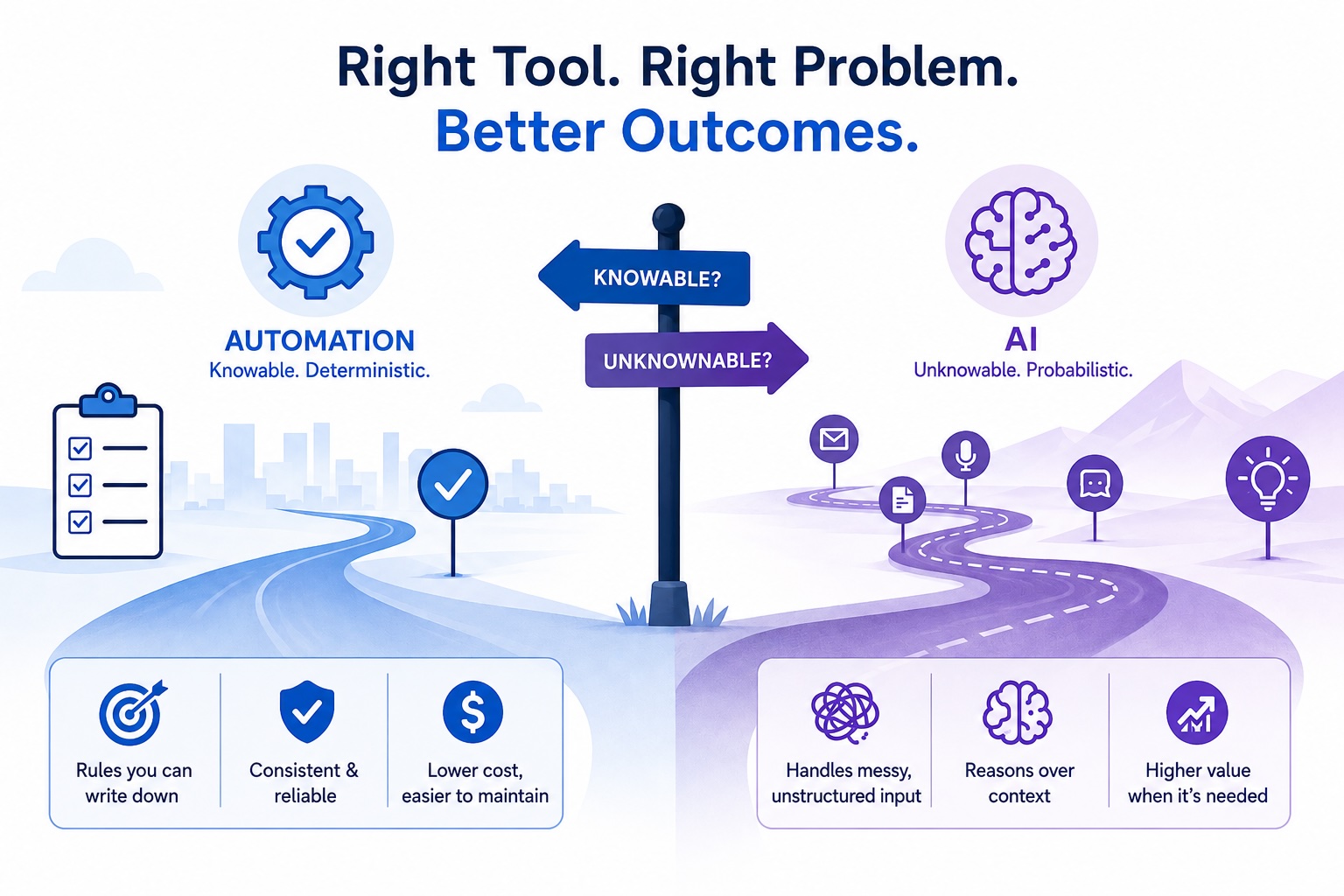
In very simple terms, if a rule is “knowable”, it’s automation.
“Knowable” doesn’t mean simple. Complex rules are still rules. A 40-line CASE statement is still a CASE statement. The question isn’t how many branches the logic has, it’s whether a human can write down the branches. If so, then you don’t need a model; you need a developer. (Of course, the developer can use Claude Code to accelerate the work!)
Let’s walk through two examples from real discovery sessions to illustrate the point:
Example 1: Complex company-wide approval routing with known thresholds.
The requirement: “Route approvals based on the delegation of authority matrix”, where the matrix is an offline spreadsheet stored and maintained by a single individual.
The solution does not need AI. It needs custom metadata as a lookup table, with Flow/Apex to determine the approvers.
Adding an AI model introduces nondeterminism: the same deal could route to different approvers on different days and consume credits for no reason.
Example 2: Weekly timecard compliance.
The requirement: “We want AI to figure out who hasn’t submitted a timecard.”
You don’t need AI; you need a query, and depending on the detailed requirements, maybe a little more. Resources either entered hours into the system or they didn’t, and a query can tell you that. There is no reason to introduce AI. Actually, at CLD, we have a really good accelerator to achieve exactly this, without AI!
You probably have similar projects sitting in your backlog that need to get built, but the unnecessary application of AI may create a different set of problems to solve.
The Perfect Storm In Motion
Picture this work scenario: A process improvement team is assembled to address timecard compliance and approval workflow efficiency. IT reports they are slammed and don’t have the capacity to work on new projects this quarter. The Executive Sponsor arrives a few minutes late, just getting out of his board meeting, and shares that AI is the priority for the year, with weekly progress expected to be reported to the board with targets attached.
Someone mentions a competitor’s case study, or a vendor demo from last week’s conference, where end-to-end processes are handled by agents. ALL OF IT Agentic! The Executive Sponsor emphasizes that “we need to move fast on this.
All three forces are now in play, pushing the wrong work into the AI bucket. Unless the room has a good moderator, the target automation use cases will get framed as AI. Maybe with a Prompt Template doing something a query could do, or maybe with an agent surfacing a notification that a scheduled job could send. If the work gets approved, that’s a very poor use of AI, and once token usage is factored in, it will eventually get flagged as wasteful.
Everyone in that room is doing what makes sense for their incentives. The pressure is real, the budget reality is real, and the fear of falling behind is real. The outcome is still wrong: an automation project gets built with AI, and it costs more, runs slower, and is harder to maintain than the real solution.
The Cost Of Getting This Wrong
When AI lands on an automation problem, the organization pays in four places.
- The real cost: Tokens have a cost. Every execution that should have been an automation is now a prompt invocation with usage-based pricing. This adds up faster than people expect, especially on high-volume processes, and is a waste of resources.
- The “determinism” cost: A 40-line CASE statement always gives the same answer for the same input. The model usually does. “Usually” is fine for some problems, but it is not fine for compliance routing, financial controls, or anything an auditor is going to ask about.
- The maintenance cost: Agents require constant observability to ensure they are performing as expected, with accurate and relevant answers, and with the right guardrails. Although automation can also break and require support, if it’s working, it doesn’t require constant monitoring.
- The cost of breaking a user’s trust: If your first AI initiatives fail or don’t result in the expected added value, users start questioning it and very quickly lose trust. Any further initiative faces a much higher resistance and a higher chance of failure. This one is the most challenging and complex to solve in the long run.
How To Decide
The instinct in the above scenario might have been to ask whether automation could handle the use case. Remember, though, the room has been told to find AI opportunities, and they have an incentive to do so. So, instantly discarding a use case because it could be an automation may land badly and be seen as a pushback move.
If looking for ways to leverage AI, try to first clarify what AI would actually be doing:
1. If the AI is going to be making decisions, what kind?
If the decisions can be written down as rules at design time, even complex ones (e.g., that 40-line CASE statement, seventeen branches of routing logic), then there’s no AI work happening. There’s a rules engine. The “AI” label is stamped only because of the pushing forces.
2. If AI is needed to handle messy inputs, what kind of messiness?
Emails, voice transcripts, PDFs, free-text descriptions → genuinely unstructured. A model is the right tool. Structured fields scattered across three systems → not messy in the same sense. That’s an integration problem with a deterministic solution.
3. If the AI is reasoning over context, what context, and why can’t it be captured in rules?
This is where AI legitimately earns its place: synthesizing signals the rules can’t anticipate, interpreting intent, weighing factors that can’t be reduced to a formula.
Most use cases that get nominated as AI use cases can’t produce an answer in the third category above, struggle with the second, and typically land in the first. Going through these three questions helps categorize the use cases and clearly separate those that fall in the automation category.
Closing
This is not by any means a framework to determine how to prioritize AI use cases. Not at all. The goal is to narrow down the list, removing the noise and those that, ultimately, should have never been included in the first place.
Apply this today >> Look at your organization’s current AI use case list. How many of them describe a rule a human could write down? Remember: they’re not going to stop being automation problems just because they’re on the AI list.
Need help prioritizing your AI use cases? Take a look at our AI Jumpstart.
